


Download, slice and print this model in the MakerSpell app — available on Android and Windows. Get the app
Model Overview & Print Notes
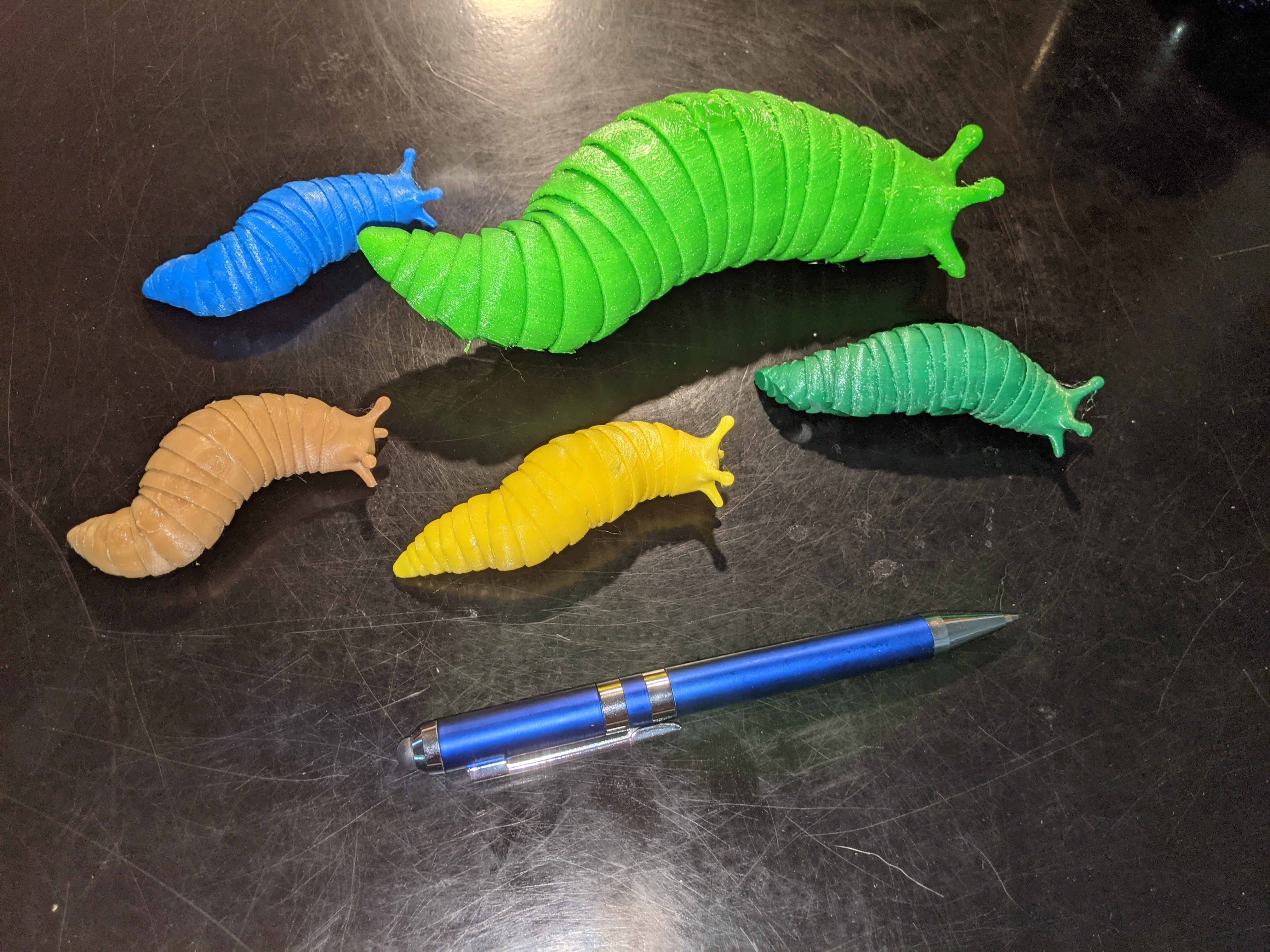
As noted in the Summary, this is a print of a design by Isaiah Steckling from here: https://www.thingiverse.com/thing:4727448 The design is very clever, but it is difficult to print correctly as the clearances are very small. Essentially the design is a bunch of interconnected segments; each segment is free to rotate from side to side and up and down (within limits). Even when I got it to print well, I still had to free up the segments by careful work with a razor knife. I do this by sliding the tip of the razor knife between two segments, and moving it carefully around the entire circumference. Typically I start at the side of a segment and work down to the bottom, then repeat for the other side, and then finish with the top of the section. This only takes a few minutes, and once the segments are freed up they move very well. As can be seen from the photos, I made several of these in different colors of PLA. The photos give some idea of how the slugs can be manipulated into various positions. I also did a print using FLEX, at 200% scale. This again required extensive modification of the default parameters. Printing I have included the two STL files provided by Isaiah Steckling, and in addition a third STL “test” file made by deleting all but a few of the segments. The test file can be used to test your print parameters without having to waste time and filament printing the entire slug. I recommend looking at the link to the original to see Isaiah's recommendations on printing. I printed in both PLA at 100% scale, and FLEX at 200% scale. I have provided 3mf files which include all the print parameter changes I made. These work for me, but no doubt there is still room for improvement. I would also note that when I tried printing in PLA (.2mm layer height) with the default parameters, I was not able to free up the segments. Even when using the “best” print parameters I could come up with, I still had to (carefully!) use a small razor knife between each set of segments to get them to articulate freely. As per Isaiah's recommendation I started at the tail end and freed each segment one by one. Finally, note that one of the two STL files has brims under the antennae - this is the STL file that I used. Aside from that, a brim is not necessary. [Update Feb. 11, 2022] Gcode and 3mf files for the 100% size have been added for both 0.1mm and 0.2mm layer height. I thought the 0.1mm layer height would provide a cleaner separation between the segments, but I saw little or no improvement. In both cases I still got some sticking between segments that I had to loosen up with a razor knife. So while I can say that these settings worked for me, they were not perfect. In any case, I offer these files as something that “worked for me” and as a possible starting point for further improvements.