

VaseCraft: Geometric Vase Generator / Plant pot

Download, slice and print this model in the MakerSpell app — available on Android and Windows. Get the app
Model Overview & Print Notes
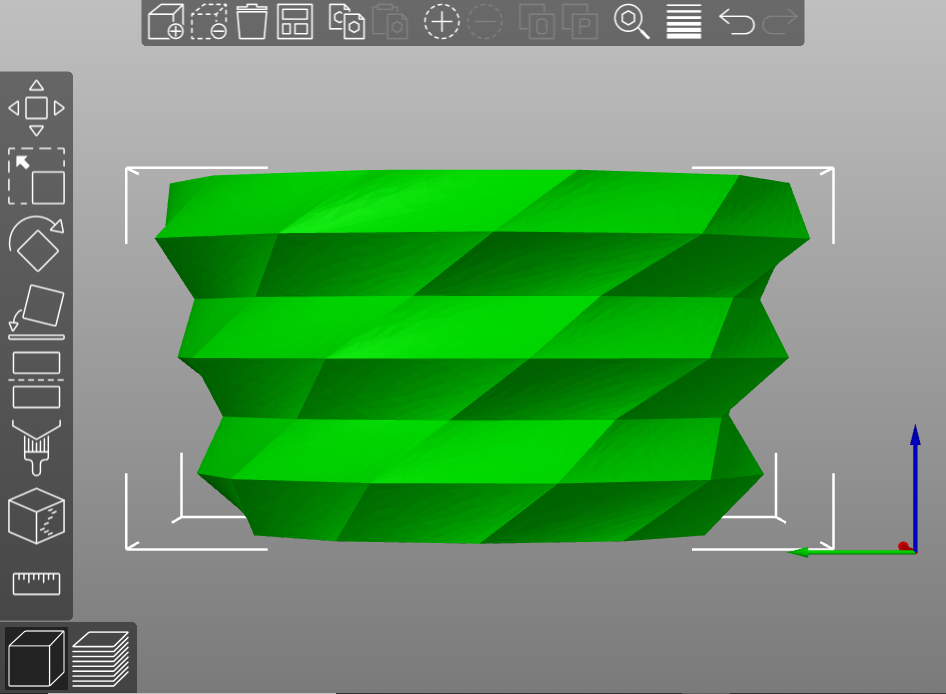
VaseCraft Low-Poly Create a 3D model of a geometric vase for 3D printing in vase mode. You can use: Openscad Script Python script with Cadquery (file with ‘CQ’) Python script with Build123d (file with ‘BD’) Web App interface. Below you can find instructions on how to use Openscad, Cadquery or Build123d. (Web App: https://vasecraft.streamlit.app ) Available files: vase low poly vase obtained using the concave mode Customize Radius Height Number of blocks Number of sides (convex or concave) Tilt Tilt for a single block Twist (alternated or unidirectional) Enjoy! Luca Donate I am a student who enjoys 3D printing and programming. If you want to support me with a coffee, click here! Instructions OPENSCAD You can download Openscad from the official page here . Then, you can open the program and open the file 'vasecraft_lowpoly.scad' that you can find in the file page. In the Openscad file, there is a section for the custom parameters and a section for the program. You can change the custom parameters as you like. To see a preview of the vase with the new parameters, hit the ‘Preview’ button on the top left (or press F5). To render the model, use the ‘Render’ button on the top left (or press F6). To export the model, press the button with the ‘stl’ letters next to the ‘Render’ button. CADQUERY/BUILD123D These libraries are written in Python. You can easily install them with Pip, following the documentation of CadQuery and the documentation of Build123d . Then you can open the script for CadQuery and Build123d in your favourite IDE. After the section to import the libraries, there is a section for the customizable parameters: change the parameters as you prefer and run the script. I suggest using an editor with the GUI to visualize the model: here you can find an editor with GUI for both CadQuery and Build123d that includes the Python environment to run the script and can be used as a stand-alone program.
💬Baskı İncelemeleri & Yorumlar(0)
★4.9 / 5.0· Başarılı Baskı