
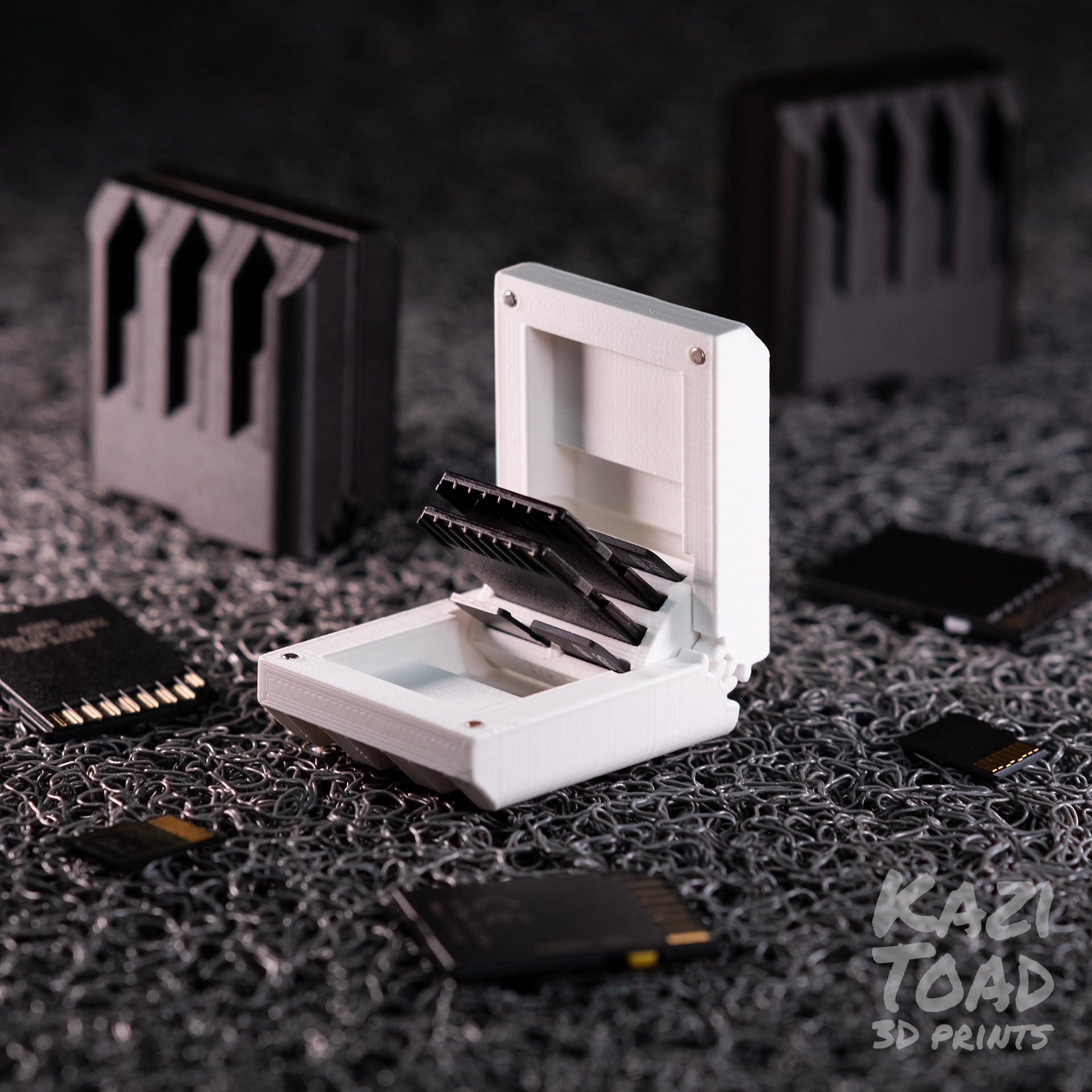

Geared SD Card Case with Snap-fit Hinge and Magnets

Download, slice and print this model in the MakerSpell app — available on Android and Windows. Get the app
Model Overview & Print Notes
These files are for Personal Use Only . If you would like a Commercial License to sell prints made from these designs, please join me on Patreon : https://www.patreon.com/kazitoad Don't you hate misplacing your individual SD cards? Now you can lose all of them at once with this tiny SD card case :) This case features a geared hinge that provides a super smooth opening and is designed to snap into place to avoid using external components. The best part is you don't need support! Just orient the "case" with the gears pointed up and the "base" with the openings pointed up. I am providing 4 different case models: two "4x" models that hold 4 full sized SD cards (with and without magnets) and two "mixed" models that hold 2 full sized SD cards and 4 micro SD cards (with and without magnets). I suggest you print the versions with magnets. They provide the right amount of force to keep your memory cards secure and give a satisfying 'snap' that I can't stop playing with. I have made a similar case for Nintendo Switch games here: https://cults3d.com/en/3d-model/game/geared-switch-case-with-logo Print instructions For one complete card case print 2x "case" and 1x "base" of the same version. Do not use the "4x" base with the "mixed" case. Make sure to orient the “case” part with their gears facing up, this will prevent the need for support. The "mag" versions are designed for 2 x 5 mm cylindrical magnets, such as: www.aliexpress.com/item/1005001586414786.html?spm=a2g0o.search0302.0.0.45d767e0SSAAwN&algo_pvid=ff05b71f-13a2-464d-8858-1ad8c3e884d5&algo_expid=ff05b71f-13a2-464d-8858-1ad8c3e884d5-2&btsid=0bb0622916164642319101528e6a14&ws_ab_test=searchweb0_0,searchweb201602_,searchweb201603_ Before assembly make sure the gears and hinge pins are clean (no zits or blobs) and use a 2 mm drill bit (by hand) to clean the holes before super gluing the magnets in place (for the magnet version). To assemble, follow the attached diagram. It might be very difficult to press the base into place so, I suggest using a C-clamp to slowly apply pressure until you hear it snap into position. The parts are designed to fit together tightly to prevent jiggling but if the "case" doesn't fit you can scale it up ever so slightly. If you choose to assemble the parts horizontally it will be easier to put them together by hand but there is a good chance you might break some gear teeth :/ I suggest printing in PLA with a 0.4 nozzle, at 0.15 mm layer height or lower, 10% infill, no support, at least 3 walls, and 5 roof/floors. Enjoy and let me know what you think :)