
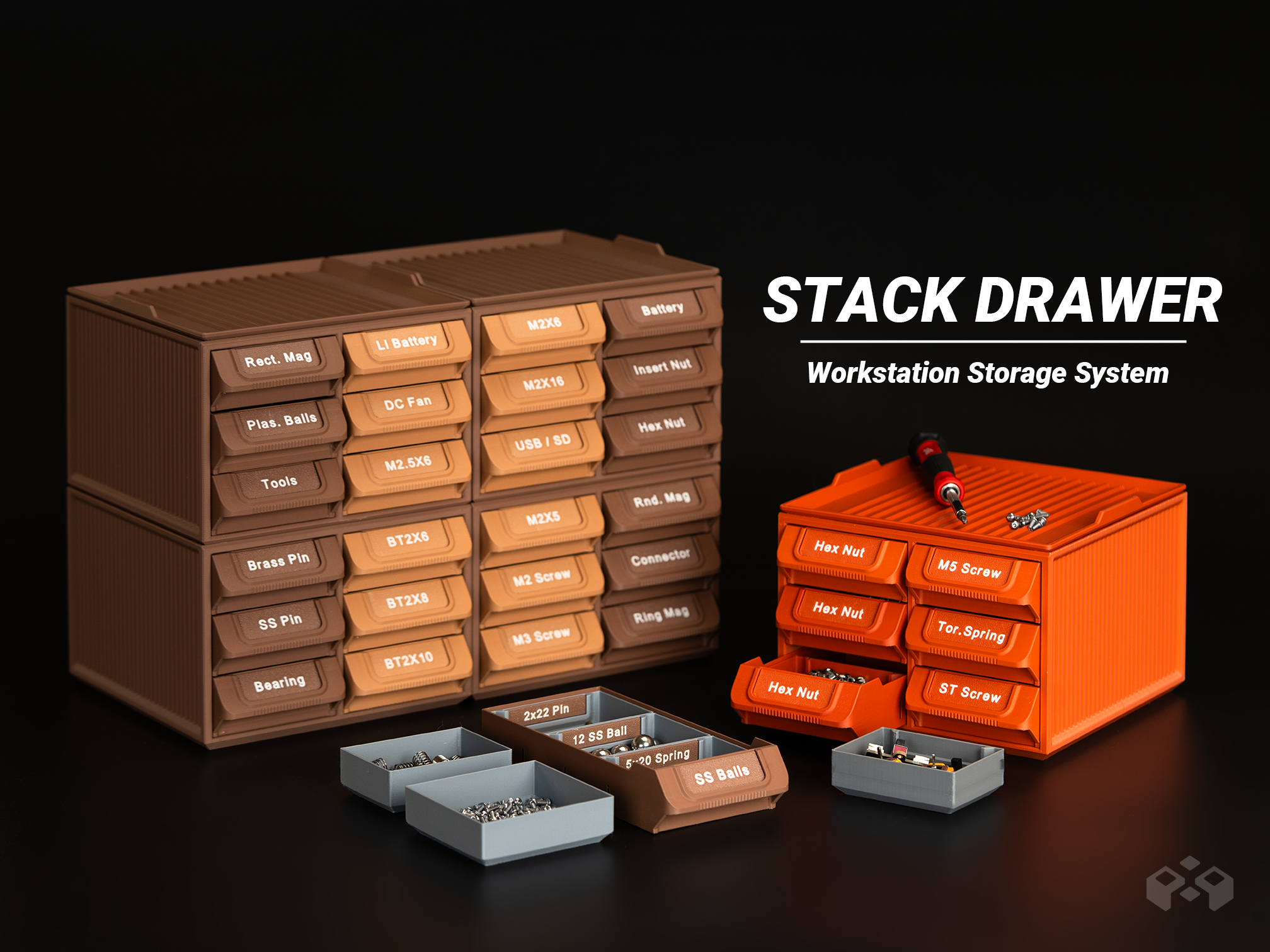

Workstation System Stackable Part Drawer Organizer

Download, slice and print this model in the MakerSpell app — available on Android and Windows. Get the app
Model Overview & Print Notes
StackDrawer Workstation System Workstation System Stackable Part Drawer Organizer // Updates // 2026.09.14 - Added the Drawer Label.stl and Customizable Label.3mf The StackDrawer Workstation System is a modular drawer-based storage solution designed for efficient parts management and desktop workflows. By combining stackable drawers with a functional top workspace lid, it brings storage and work surface together in a single, vertically organized system. With multiple drawer divider configurations and an editable labeling system, StackDrawer supports clear organization of hardware parts, electronic components, and small tools, where visibility and quick access are essential. Included Components This project includes all core modules shown in the layout overview image, forming a complete and fully compatible StackDrawer system: Stacking Frame Drawer Modules Top Workspace Tray Inner Trays (Standard) Inner Trays (Label-Ready) Drawer Dividers Drawer Label Inner Tray Label All components are designed to work together within the same stacking system and can be printed individually based on your storage needs. Key Features Fully Modular DIY System The modular DIY design allows users to build a personalized storage setup through color coding, divider arrangements, and stack configurations. Workspace Tray The lid functions as both a protective cover and a workspace tray. Integrated shallow ribs help contain small parts, prevent items from rolling, and keep components grouped during sorting or assembly. Multiple Drawer Organisation Options Each drawer supports three organization methods : modular dividers, two large inner trays, or three small inner trays, allowing layouts to be configured based on part size and usage. Inner trays are available in both standard and label-ready versions. Stackable Drawer Construction The drawer units are fully stackable, allowing vertical expansion to increase capacity while maintaining a compact footprint on the desk or workbench. Refined Drawer Pull Design Drawer pulls are shaped with hand ergonomics in mind, improving grip comfort and stability during frequent access. Customizable Label – Example The image below shows one example of how to edit the label text in Bambu Studio. Other slicers or 3D editing software can also be used to customize the blank label file. Rotate the plate to view it from the underside. Open the Objects tab. Right-click “Name Text - Edit This” and select “Edit me (Text)” . Edit the text as needed. Arial Bold is used in this example. If your slicer does not support adding text directly, you can also import the label into your preferred CAD or 3D editing software and add the text there. StackBox is a workstation-oriented storage system with support for incremental expansion. Future accessories will be developed to remain compatible with the same system structure. Commercial-use access and ongoing design updates are available on Patreon: https://www.patreon.com/c/MeyuiDesign