Download, slice and print this model in the MakerSpell app — available on Android and Windows. Get the app
Model Overview & Print Notes
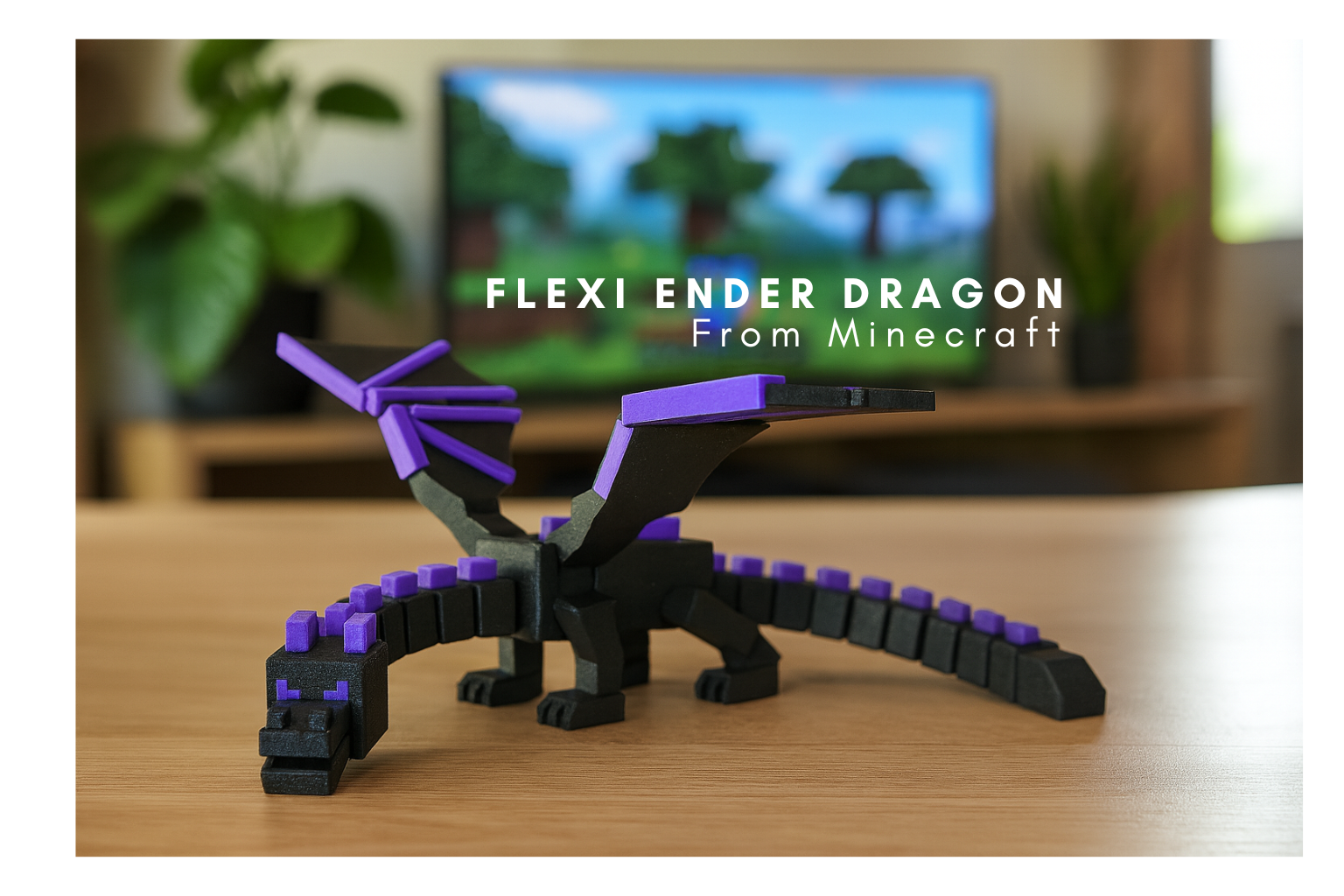
If you want to sell my Enders in your Etsy Shop or any where else please subscribe to my Patreon Commercial Subscription $8 = Authorization Badge patreon.com/ProjectLowk Assembly instructions: Snap the Pieces together and use super glue/hot glue at your discretion Here Is my take on the Ender Dragon from Minecraft. I designed a way for single color Printers to print it out in multiple colors. Printer Instructions The Ender Dragon is meant to have tight moving parts. Accent pieces should snap in easily. Depending on the type of printer you have you need to print out the right file. If you have a Multi- Color Printer and you want to print them using multi-color function Use Files Named ‘Solid’ If You have a Higher Quality Printer with Excellent Leveling and accurate Dimensions USE file marked 'LC' for less clearance. Example: Bambu A1 Printer If you have a lower quality printer use unmarked files. Example: Ender 3 V3/V2