
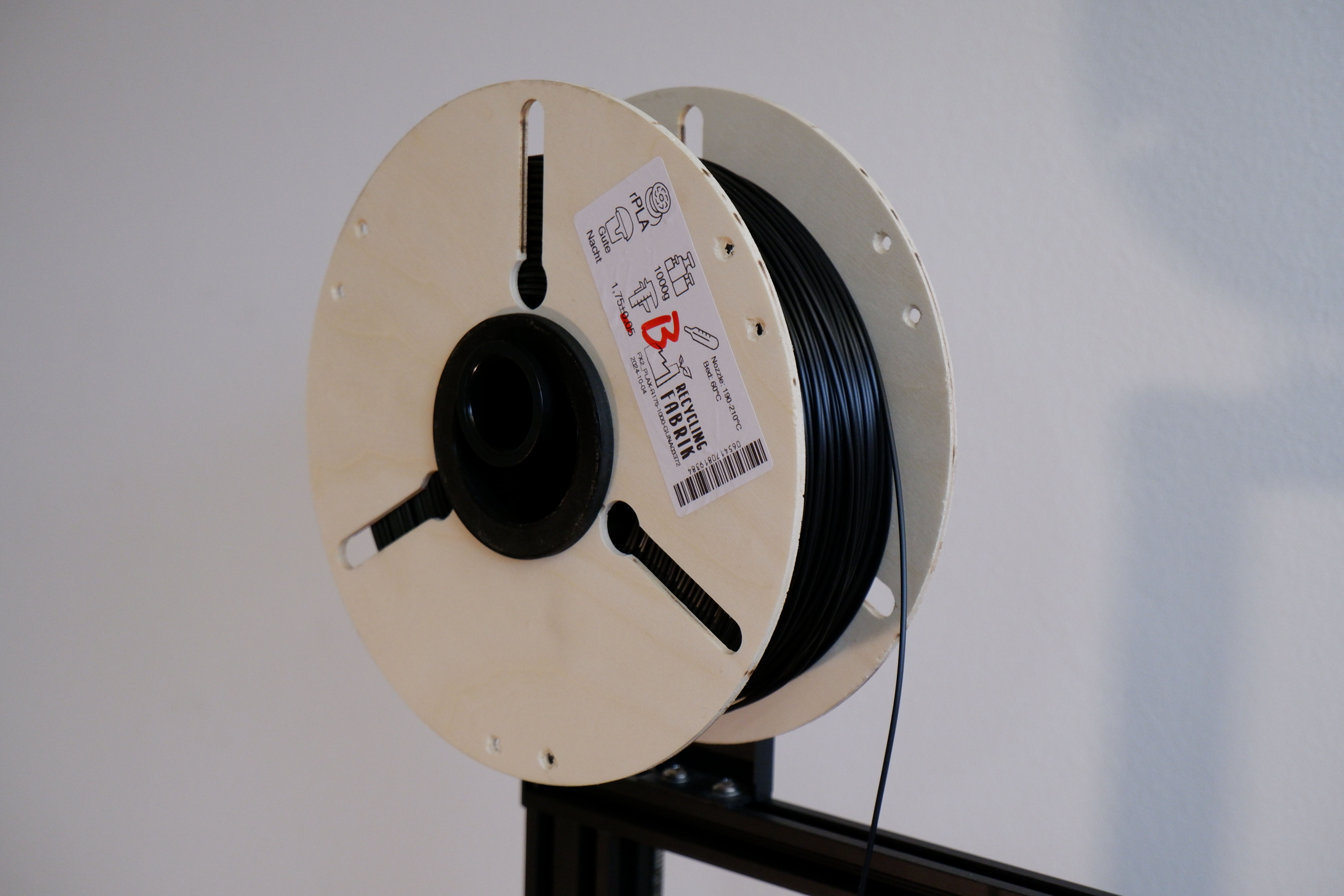

Parametric Masterspool (Woodworking/3D Printed/Lascercut)

Download, slice and print this model in the MakerSpell app — available on Android and Windows. Get the app
Model Overview & Print Notes
Onshape Link: https://cad.onshape.com/documents/5d99432b1814f4d878b594e2/v/d860c7e1164c17fb42d9dd78/e/f758f24269fd766ec45be299 This is a Remix of @FabianHaensch's great laser cut Masterspool V3 for Das Filament refills. I have kept the overall construction the same, but parametrized many dimensions such as refill inner/outer diameters and refill thickness, as well as the material thickness used for the side panels (full list below). The size of the base and nut are meant to stay the same regardless of refill, but could still be changed through the variable studio if need be. Build instructions woodworking (paper template): 1. Slots prepare any sheet material you like (+ a sacrificial layer to cut into), set its thickness in Onshape use a router bit with the same diameter as the side_panel_slot variable (i.e. 10mm) stack as many sheets as you want side panels (not exceeding your routers cut depth of course) rigidly connect the sheets (i.e. using double-sided tape) and glue the paper template to the top use a router along a guide rail, track or similar and align it along the slots on the paper (see picture 4) align the bit such that it perfectly cuts the smaller radius at one end (see picture 3) plunge in from that point and cut the slot not all the way to the end, so you can still drill out the larger radius later 2. Make it a circle use a circle jig screwed to the center of the template to first cut the outer diamer cut the inner diameter the same way use a hand file to make the keyway, as indicated in the drawing try it on the printed base, adjust using sandpaper if necessary 3. Finishing drill the larger holes on the ends of the slots for the zip-ties to pass through drill the filament-holder holes sand the surfaces if you like Alternative using copying ring: You can also use the variables router_template_dia and router_bit_dia to set your copying ring diameter and router bit diameter respectively. This way you can print the side panel once and use said copying ring and router bit combination to rout the slots this way. The inside and outside diameter can then be done with a flush trim bit. Full list of variables available in Onshape: Note: Not all variables are meant to be set manually, some are calculated from others.