
Download, slice and print this model in the MakerSpell app — available on Android and Windows. Get the app
Model Overview & Print Notes
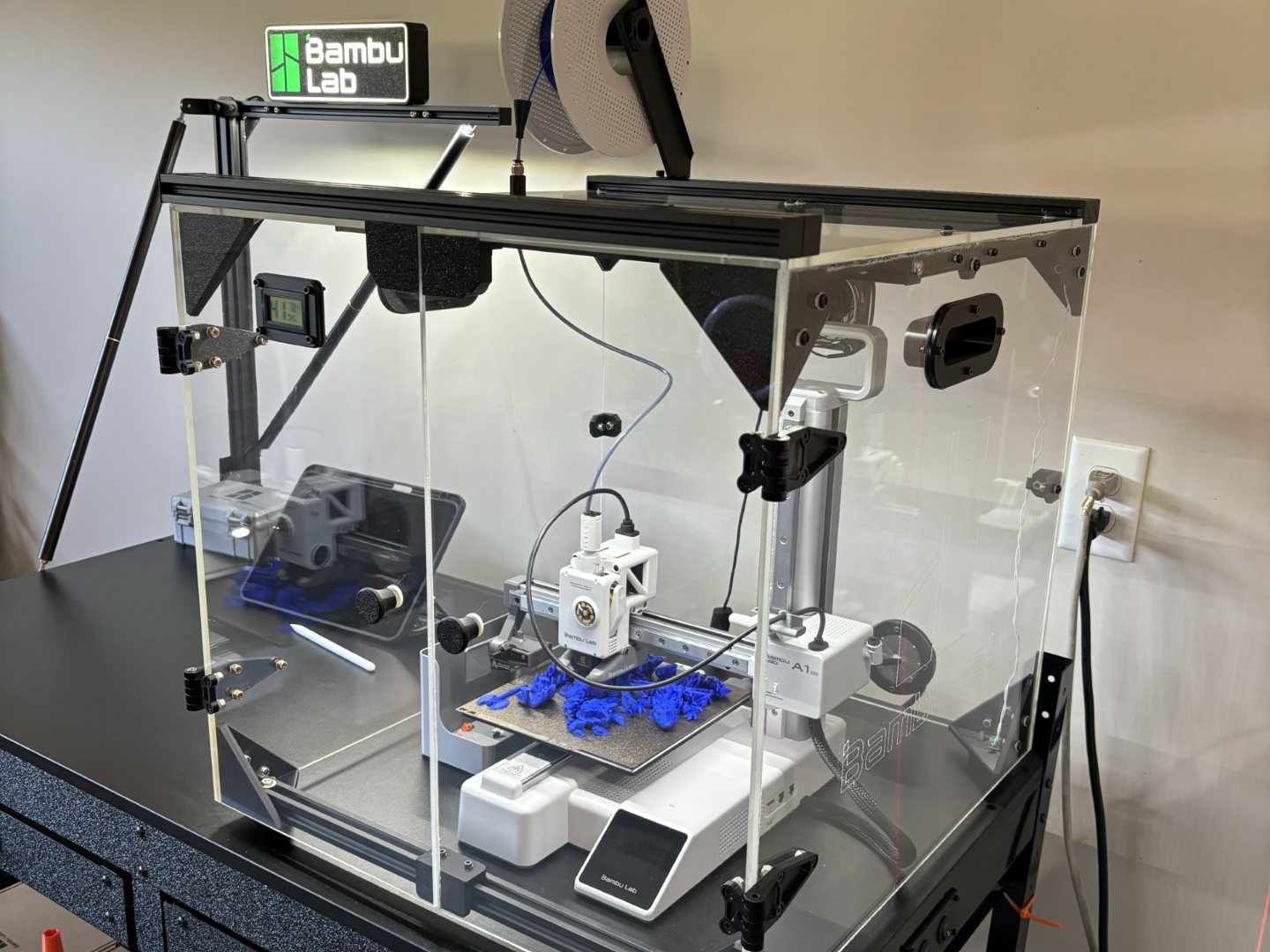
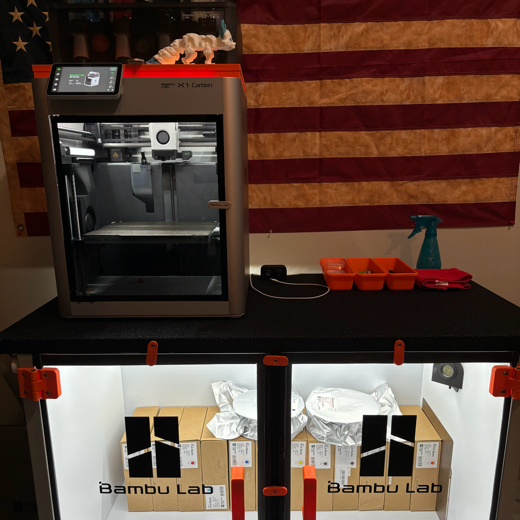
OK! It took a while to get back on here and load all the parts in from the A1 mini enclosure I made for my daughter. These are all the final parts I used for it! I ended up printing all the parts in ABS at 100% infill for strength. (Definitely isn't necessary) I just tend to lean towards overkill. All the parts combined, with those settings, ended up being less than 20.00$ US. so why not? I also attached the STL. files to the project as well, feel free to change material type and settings to fit your needs. I labeled all the parts by changing the names on each plate to try and separate them better and make it easier to see what's what. I modeled all parts in Fusion360 excluding the door hinges. I was in a rush to get this thing together for her birthday and ended up finding the perfect model here on Maker world for what I needed. They allow the door to swing all the way open and lay against the sides of the enclosure. I'll link the model I used here: https://makerworld.com/en/models/23462?from=search#profileId-44107 My final design I came up with has a PTFE tube bulkhead/pass through connector that I found here: https://makerworld.com/en/models/129192?from=search and there are tons of other great option on maker world as well. I only added this part to the box because at the time we had not received her AMS Lite yet. I added it so she could feed in of a single reel mounted to the top of the enclosure. In my model files there is a slotted PTFE passthrough for those with an AMS. As for assembly, the final size you want the enclosure to be is really up to you based on your needs. These parts should work out regardless of what size enclosure you go with as you'll just be changing the size of the walls you cut. Once all the parts are printed you should have 8 corner Brackets: All parts have holes modeled through them for either an M5 or an M3 screw depending on the part. So the holes are all either .125in - .170in-ish diameter holes for those not using metric hardware. Another reason I chose to go 100% infill was so that I could drill those hole sizes up a size if needed more easily. Just something to think about. I used basic button-head machine screws, nylon washers, and lock-nuts for assembly. I did not get an exact count of all the hardware as I was constantly changing/adding things as I went so your project may vary. I went with 1/4in acrylic for the enclosure as it seemed to be the standard. But you could make it out of another material like wood, etc... I was building this for an A1 mini so I cut my acrylic sheets on my bandsaw to these dimensions: TOP: 20 IN. x 20.75" IN. LEFT AND RIGHT SIDE: 20.5 IN. x 19" IN. FRONT AND BACK: 20 IN. x 19" IN. (Then I cut one of those sheets down the middle later to make the doors.) But again, you may need to cut yours differently. Also you will need something to go across the Bottom-Front of the box. (under the doors). To keep the sides from kicking out on the bottom. You could add an entire floor to the bottom of the enclosure, or use a strip of acrylic to work as a brace, mounting it to the bottom-corner brackets. I personally had a lot of extrusion frames from old broken 3d Printers from over the years so I repurposed a frame to brace that area. I also added two more to the top of the enclosure for attachments (spool-holders, cameras, etc..). 1.) I used the corner pieces I printed to make a cube with the acrylic. I used painters tape to hold it all together temporarily. I drilled all the holes in the acrylic using the holes in the printed parts as a guide for the drill. (Warning! If you have never drilled acrylic BE CAREFUL! You can shatter the acrylic if you go too fast or worse hurt yourself! When it grabs it tends to shoot straight through quickly which can cause cracks or chips.) Make sure you use a drill bit made for drilling acrylic plastics! Also make sure you don't accidentally drill the corners to the doors. 4 of your corners should have a blank side with no holes, those sides face the doors. 2.) Repeat the same process to add the small support brackets. I basically just evenly spaced them in the top and sides of the enclosure between the corner brackets. They just help keep the acrylic from sagging and vibrating by spreading the weight of of the acrylic and help securing it. 3.) Put your enclosure Handles where you want them on the enclosure and trace the hole you will need to cut in the acrylic to mount them. I used a Dremel tool to cut out the holes with plastic milling tools but you can use what you need/have. Wear safety glasses to keep hot plastic from hitting your eyes. Acrylic tends to melt quickly when your sanding/milling/drilling it. 4.) I then repeated step 3 for the Exhaust fan I added to the top-back of the enclosure, and for the cable passthrough on the rear-bottom. As for the PTFE slotted passthrough for the AMS lite, the installation is the same (Put it where you need it, mark, cut, back-drill fastener holes.) The only difference is that its location will depend on where you decided to mount your AMS Lite. 5.) Then it was really just drilling for the door hinges, adding the door knobs, wiring up the fan (I got a USB powered 80mm fan off amazon) and adding the LED strip to the top for light. The final product will really come down to what you want to get from it and what you add. There's really no wrong way to go about it. I built this mostly to keep dust and trash from getting in the printer because its located in a workshop. I don't use this enclosure for printing ABS or ASA or anything like that as I have X1 Carbons for that. So I cant speak for how high do the temps get or anything like that as I'm not actively tracking it. I typically keep this enclosure as cool as possible. I even added feet to the bottom of mine to raise it up for better airflow. It was simply just for better lighting, dust control, and the ability to add cameras for videos more easily. Hope this helps you get started with your enclosure project! Thanks!