


Download, slice and print this model in the MakerSpell app — available on Android and Windows. Get the app
Model Overview & Print Notes
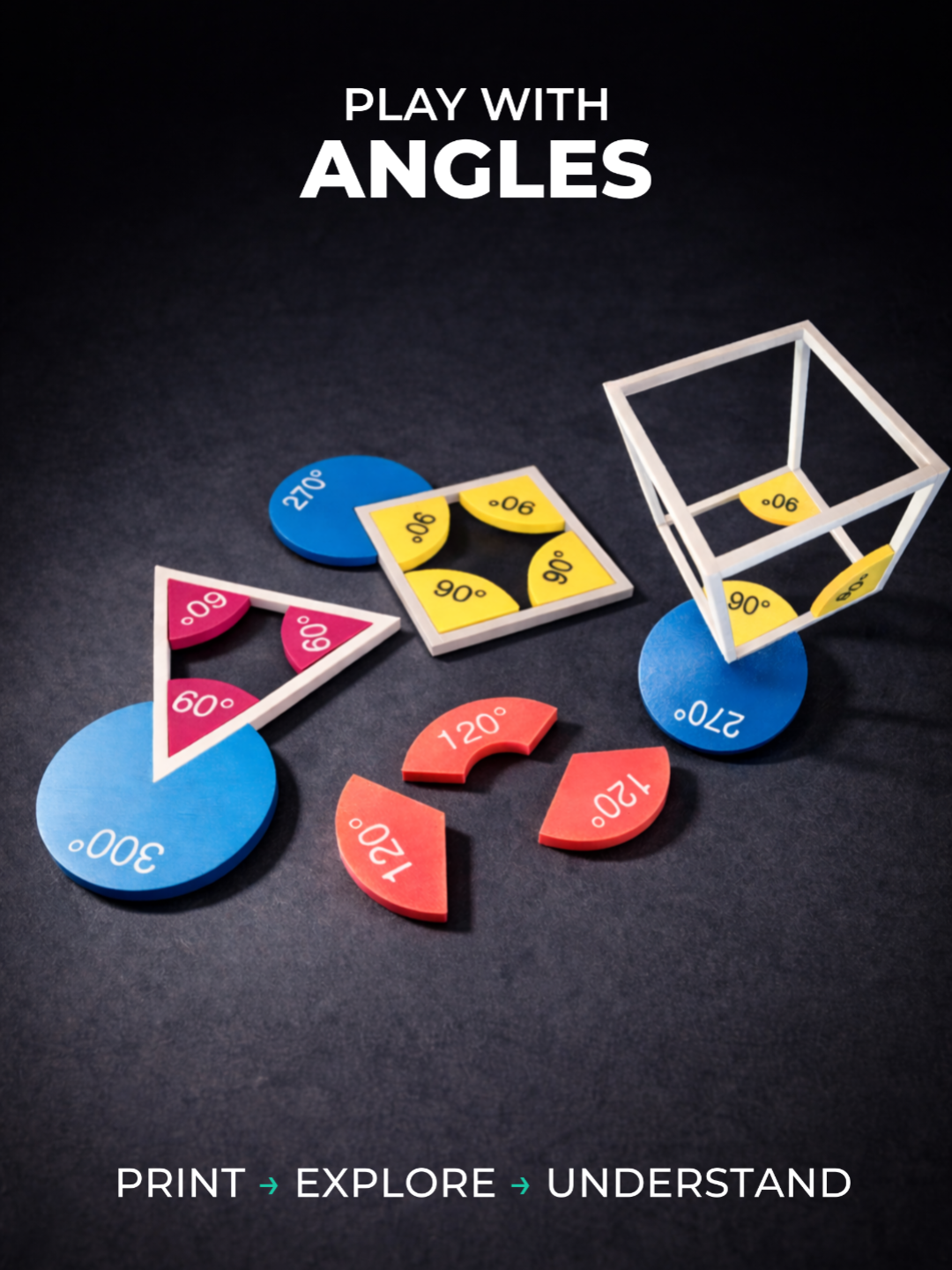
Angles are abstract — until you can manipulate them. This hands-on STEM kit lets you explore angles visually and physically — from simple acute angles to full 360° rotations. Instead of memorizing values, one can see and feel how angles behave. Each piece represents a single angle and can be combined, compared, and rotated to understand relationships between them. By turning angles into physical objects, this model helps bridge the gap between intuition and formal geometry. Suitable for classrooms, workshops, homeschooling, or just experimenting with geometry. Features Full 0–360° angle coverage Readable angle labels Consistent circular geometry (same system as Fractions made fun ) Designed for intuitive use and repeated handling No supports needed Customizable (OpenSCAD / MakerWorld Customize) You can generate any angle you need: angle (0–360°) plate diameter thickness text size and placement optional center hole option to generate text separately for multicolor printing (export 2 stl files and then loadem as a single item into BambuStudio) if you don’t generate the text STL, the labels will be engraved directly into the plate; in that case, simply rotate the plate 180° so the engraved side becomes the top surface Included Main kit (3MF) with a practical set of angles, shapes and bodies Parametric generator (create any angle on demand) Set of 15 to 360 degree angles in steps of 15 degrees Set of 15 to 360 degree angles with center hols in steps of 15 degrees Ideas for use Compare acute, right, obtuse, and reflex angles Combine angles to reach 180° or 360° Explore symmetry and rotations Compare with fractions Hands-on geometry challenges Notes Works great alongside the Fractions Made Fun set (where you can also find various types of containers that will fit these angles) Modular Polygon Prisms – STEM Building Kit How to Customize & Print Click the Customize button to open the model in MakerWorld Customizer. Adjust the parameters to create your desired model. For multi-color printing: Export each color as a separate STL file. Select all exported STL files and import them together into Bambu Studio. Choose Load as a single object with multiple parts when prompted. Assign the desired filament color to each part. Slice and print! 🎥 Need help with multi-color printing? Watch this quick video tutorial to see how to import and assign colors to multiple STL files in Bambu Studio:
💬Baskı İncelemeleri & Yorumlar(0)
★4.9 / 5.0· Başarılı Baskı