
Download, slice and print this model in the MakerSpell app — available on Android and Windows. Get the app
Model Overview & Print Notes
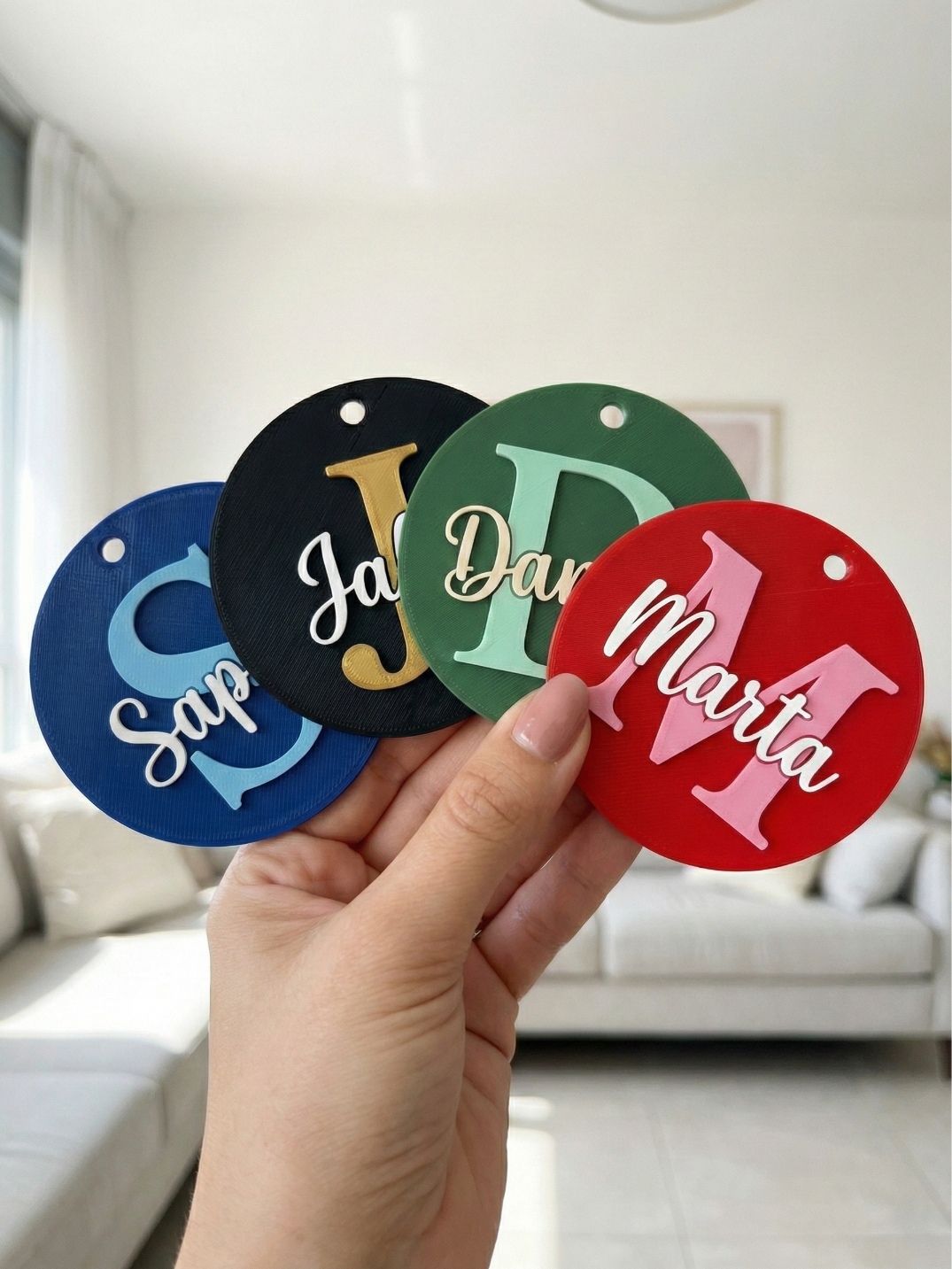
Membership Create professional, multi-color name tags! You can print it as a single multi-color piece (AMS) or as separate parts to assemble later. ✨ Key Features 2 Print Modes: Preview (Stacked): See exactly how the final tag looks in 3D and print the same way. Print (Side-by-Side): Exports the Base and Letters as separate objects for easy coloring. Assembly Ready: Optional tolerance settings allow you to print the letters separately and glue them in (perfect for non-AMS printers!). Language Support: Full support for English (LTR) and Hebrew (RTL) text flow. Pro Fonts: Includes script, handwritten, and block fonts (Great Vibes, Solitreo, Fredoka, etc.). ⚙️ How to Customize Click the "Customize" button. Select Layout Mode Enter Text: Type your Name and choose a Background Initial (A-Z). Adjust Position: Use the sliders to perfectly center your text or create a unique offset look. Download: Save the STL or 3MF file. 🖨️ Slicing Instructions (Bambu Studio / Orca) For the best Multi-Color result: In the Customizer, set Layout Mode to "Print (Side-by-Side)" . Import the file into your slicer. Right-click the model → Split → To Objects . You will now see the Base and Letters as separate items in the object list. Use the "Fill" tool or Object list to assign colors (e.g., Blue for Base, White for Text). Select all objects (Ctrl+A), Right-click → Assemble . The slicer will snap them back together perfectly. Slice and Print! 🧩 Assembly Mode (For Single Extruder Printers) If you don't have an AMS, you can print the parts separately! Set Assembly Tolerance to 0.20mm . Export and print the Base in one color and the Letters in another. The parts will have a slight gap, allowing you to easily glue the letters into the pocket. Boost Me