
BAMBULAB OPTIMIZED PRINT PROFILES

Download, slice and print this model in the MakerSpell app — available on Android and Windows. Get the app
Model Overview & Print Notes
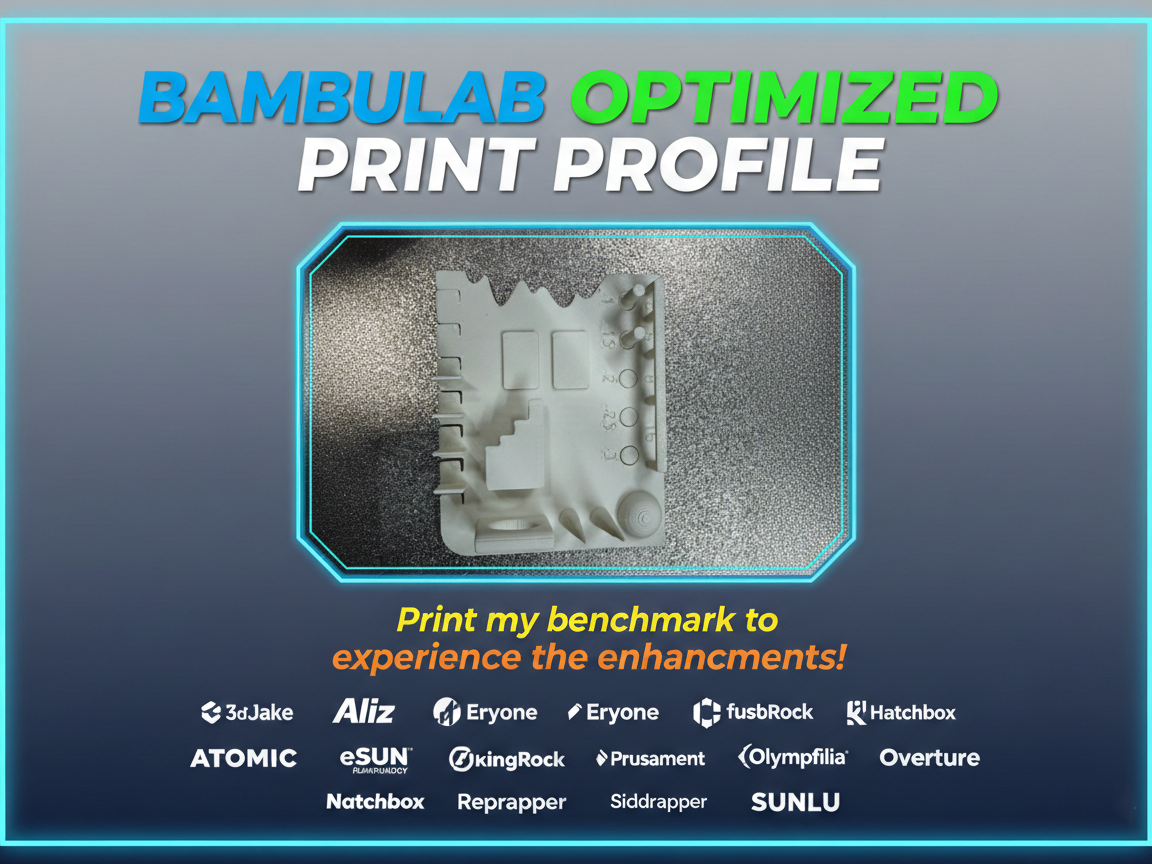
Complete Package: Optimized Filament Profiles + Test Model for Bambu Lab This package includes a comprehensive set of pre-calibrated filament profiles and a model I designed to verify your printer's accuracy and validate print profiles. Ready-to-Use Filament Profiles The foolproof filament profile package for Bambu Lab provides pre-calibrated settings brand by brand, designed to drastically reduce failed prints and wasted time. All profiles are available in the "All Filament Profiles" file in the download folder. These profiles are specifically optimized for Bambu Lab printers and guarantee clean walls, uniform layers, and reliable results with the most popular filament brands—without endless manual tweaks and calibrations. Test Model Included The attached calibration model allows you to: Verify your printer's dimensional accuracy Quickly test each filament profile Identify any print issues before starting complex projects Compare performance between different filament brands Continuous Updates The file is regularly updated with new profiles as: New filaments are purchased and tested Manufacturers provide optimized official profiles The community reports new brands to include Always download the latest version to access the most recent profiles! What's Included Complete set of calibrated print profiles for 24 filament brands Material-specific presets: PLA, PLA+, PETG, ABS, ASA, TPU Quality-oriented settings for consistency and repeatability Test model for profile verification Supported Brands 3DJake - 3dTrek - Aliz - Atomic - Coex - ELEGOO - Eryone - eSUN - FIBERLOGY - FormFutura - fusRock - GEEtech - Hatchbox - IEMAI - Kingroon - Ninjaflex - Numakers - Olympfilia - Overture - Prusament - Reprapper - Siddament - SUNLU Compatibility Bambu Lab Printers Bambu Studio How to Use After downloading the filament profiles ( the zip files ), follow these simple steps to import them into Bambu Studio: Step 1: Open Bambu Studio and click on "File" in the top left corner Step 2: Hover over "Import" and select "Import Configs" Step 3: Select all the profile files for the brand(s) you want to use Step 4: Your imported profiles will now appear under "User Presets" > "Custom" You're all set! Simply select your desired profile from the custom presets menu before starting your print. Support the Project Want access to more optimized profiles? Support the project with a Boost! More support means more profiles and faster updates for everyone in the community. Boost Me Support me! ;) Update – 31/01/2026 I have uploaded the new optimized configurations for SUNLU filaments, now available for all Bambu Lab printers , including P2S, H2S, H2D, and H2C . Update 28.02.2026 n.1 Not convinced by the first layer? I've created a dedicated test model with a step-by-step guide to optimize it perfectly! https://makerworld.com/it/models/2455156-first-layer-flow-calibration-perfect-first-layer#profileId-2695733 Update 28.02.26 n.2 Tired of printing first layer test sheets that end up straight in the trash? Check out my zero-waste solution to reuse them! ;) https://makerworld.com/it/models/2455967-1deglayer-calibration-zero-waste-divider-for-binde#profileId-2696621